Where is Outlook for iPad?

The prevalence of the “Bring Your Own Device” (BYOD) concept as an acceptable, if little rushed, approach to empowering employees at work has resulted in many different types of devices being used in the workplace now. Arguably, these are split into two camps, Android & iOS (I don’t believe Windows Mobile has made many inroads into the enterprise… yet… watch this space as their new devices come off the production line).

The prevalence of Exchange Servers in the enterprise is also arguable, but in my own experience it is the number one mail server around, and with it of course comes Outlook. On the whole, I love Outlook; it has a few quirks (especially on the Mac) but by bringing together my email, calendar, contacts and notes into a tightly integrated package, which in turn integrates with my enterprise email/messaging/scheduling platform means it is probably the number one application I use.

Why then has Microsoft not capitalised on these two facts and marketed Outlook for mobile devices with the promise of integration, functionality and security? There are apps on the various app stores that claim to offer Outlook style experiences, but the feedback on these speaks for itself.

I can’t say I would care much for Word, Excel & Powerpoint on my tablet that much, I tend not to edit or annotate these documents on these devices much anyway. But Outlook would change how I interact with work over my iPad, but only if they implement it properly!

Given one of the core tenets of Outlook is to integrate email, contacts, calendar and notes from the enterprise, I strongly believe it should NOT integrate with the same apps on the device. By this I mean its database should be entirely separate, and ideally, encrypted to retain a certain degree of security. Because of this separate installation, the application itself can handle all of the ActiveSync profiling (e.g. encryption, password protection, password retries, remote wipe and the such like) that on existing devices causes an infinite amount of pain. Having had personal experience of rolling out a one size fits all ActiveSync profile to thousands of of BYOD devices with different hardware and firmware because they are by definition “personal” devices, I know too well of the amount of noise, frustration and lost hours this brings to the end user.

Of course, this kind of application, sold on the app stores for £10GBP/$15USD, could also be purchased by the individual owner and expensed (or not, see your expense policy) and is the one, and only, barrier the enterprise puts up to mobile BYOD adoption. Have the latest Outlook for iOS? Then gorge yourself on your work email to your hearts content! The enterprise has full control over the data, including rules of what can be forwarded, printed etc because it does not integrate with the devices native apps, and if the employee leaves or is fired, then ZAP! on the next connection and authentication the data is gone.

This approach may put companies like Good out of business, or may even drive them to greater innovation (where do you think I got the idea for the above anyway?!), but my experience of bolting on third party products onto Exchange has never been “good” anyway.

In my limited experience I know there must be some pretty major road blocks to this, otherwise why haven’t they done it already? If you are more educated in this area than me then please do comment and let me know your perspective. in the meantime, I shall dream of my iPad/Outlook nirvana and the increased amount of sleep I will get overnight not worrying about all that data flying around on peoples personal devices.


RSA Europe 2012

I am very excited to be going to RSA Europe this year, and not only that I am thrilled be taking part in a debate.  The topic of the debate is “Should you train your employees on security awareness?” on Tuesday October 9th at 13:10hrs. It takes place with five other folks in the information security field;

  • Christian Toon, European Head of Information Risk,Iron Mountain Europe;
  • Javvad Malik, Senior Security Analyst, 451 Research;
  • Rowenna Fielding, Information Security Manager, Alzheimer’s Society;
  • Kai Roer, Senior partner, The Roer Group;
  • Geordie Stewart, Principle Consultant, Risk Intelligence.

I am partnered with Geordie and Rowenna against security awareness training. I could well have argued either side of the debate, but I seem to be constantly disappointed even in cases where common sense should prevail and that is what swayed me in the end. Either way, it should be informative and above all fun, especially given those that are involved.

The official synopsis is as follows:

Training your staff in security awareness is an accepted and often mandated requirement of compliance in any organisation. Its effectiveness however has been increasingly questioned and its limitations highlighted. The Acumin Risk and Network Threat (RANT) community brings together six thought leaders from across Europe to debate the conflicting and opposing views of this challenging topic.


“An Anatomy…” at the BCS

A short post to give the Wiltshire branch of the BCS a pointer to the slides from the presentation I gave last week on Tuesday 24th July in Swindon. It was an excellent evening, although I suspect the turnout was somewhat diminished by the weather!

The audience also included members of the IET which bought a very interesting slant to the questions at the end. I have also exchanged a few views with folks over Linkedin as well, and if you are still awaiting a response from me please bear with me!

The one thing that did however fail was the video recording of the talk; unfortunately it gave out halfway. I was going to edit the footage anyway and then perhaps link to an alternative recording of the same talk, but I have taken the decision not to as it is a messy compromise to try and stitch two different talks together to get the entire content in one place. As a result I have decided to simply link to a previous recording, specifically the BsidesLondon one I gave in April.

So, thank you Geoff Hunt for having me along to speak to the Wiltshire branch of the BCS (where I am also a largely absent member of the committee!) and especially thank you to the folks in the audience for your interest and your questions. If any of you do happen to have any more questions, please don’t hesitate to ask them in here, via email or Twitter. Any feedback is also of course very much welcomed.

The video can be found here, and the slides can be found here (note that the presentation is originally in keynote format, the PPT export may look slightly different).


Where is Your Data?

Have you paused to consider where your data is at any given time in your organisation?

All but the smallest of organisations is likely to have notes, CV’s, financial records, personnel records, legal documents and the like, and that is just the stuff in paper form. Throw in electronic records, and you include emails, working documents, client deliverables such as code or documentation, even firewall logs or IT documentation and records.

Now that you have a picture in your head of what exactly might be out there, do you know where it actually is? Any organisation that operates in more than one country, and with the advent of the cloud any small organisation that uses third parties for any of it’s traditionally in house capabilities is very likely to find data in different countries. While this may come as no surprise to some, for many once they have carried out even a rudimentary analysis this is likely to come as a shock.

The problem I feel is that the pervasiveness of technology, and the ability in the modern business to operate without boundaries as result. By this I mean  when, for instance, someone looks at, alters, reviews or saves data of any kind more often than not they have no idea where that data resides. Is it in the server room across the hall, a colocation facility across town or in another continent? Even when the various professions in an organisation are aware of the various compliance and regulatory requirements (Human Resources, Legal etc.), because the location of the storage devices themselves are invisible to them the issue is not even considered.

For instance, a Hiring department in one country may take the personal details of a new hire such as name address and bank account and upload them to a file server in Excel or onto a SharePoint for the Finance department to set up into payroll. The server this data resides on may be in a second country, while the person who updates the financial systems resides in a third country. In many cases this may not be acceptable according to local data protection laws for the storage and access to a given country’s resident data. This is more often the case when one country has significantly greater (or better) privacy laws than another.

The solution to this is two fold, one legal and one common sense:

Legally, agreements can be put in place; these can include well known standards that can be adopted between reciprocal countries. Perhaps the most well known is the Safe Harbor Privacy Principles. This is a set of seven principles that allow for the streamlined compliance of US companies to the EU Directive 95/46/EC and was developed by the US Department of Commerce in consultation with the EC. There have however been concerns raised about the efficacy of this approach, but it still remains a common and well known one nonetheless.

Another legal approach, and one that appears to be be more commonly adopted in recent years is that of Binding Corporate Rules. Developed by the European Union Article 29 Working Party it is wider in scope than Safe Harbor as it applies to any country that may want to exchange or store data from an EU country. Both of these examples (and other alternatives) do require a lot of work to effectively adopt, the latter especially, and should not be entered into lightly. More often than not third parties/consultants will need to be employed to bring the very specialist skills required.

The second solution, and one in reality that should be taken in conjunction with the legal approach, is that of awareness. This is awareness on behalf of the organisation as to where it’s information and data is stored, and also awareness of the individuals who are managing and posting this data to the various locations required. IT moves faster than ever, and the location of your data store may well move with it. These individual teams will need to engage with IT and the CIO and become firm stakeholders during any kind of IT infrastructure upgrade and bring their specialist knowledge to the table. And the company will of course need to commission an international data location map!

The alternative unfortunately is a knock on the door from the Data Commissioners Office (or equivalent from outside of the UK) and a potentially heavy fine and the related embarrassing media frenzy. That is going to cost significantly more money than that cheap hosting deal in India.


Style vs Content – Getting the Point Across Effectively

I have just had to present to a team on their information security responsibilities whilst they are on their current project. Their client has very specific requirements, and for a variety of reasons it was important to reinforce the key requirements again.

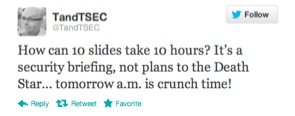
This was at short notice, and so I spent every spare moment I had throughout a long day last Thursday creating the presentation from scratch. After reviewing Master Services agreements, security schedules and other documents relating to the project I had to try and consolidate all of this into a meaningful presentation. I even Tweeted about my experience:

This is a battle hardened and very creatively talented team, working stupid hours and closing in on an important milestone of work. The last thing they wanted was to listen to the “corporate security guy” for twenty minutes, but for all the right reasons it was important that it was done today, and with the client present.

So I had: 1 – a disengaged audience, 2 – 24hrs notice, 3 – a client present, 4 – strong interest from HQ (“send us the presentation when you finish it so we can check it through” and finally, 5 – changes to be incorporated two hours beforehand (see 4).

Pop Quiz – do you use the corporate deck, smart and extensive bullet points, approved imagery and and a shirt and tie? Or do you focus on getting key message across, come what may?

And this is the crux of my point – the moment you try and deliver a corporate message in a corporate format your audience is going to switch off. One suggestion I received from a well meaning executive was to basically provide a list of the twenty requirements of the client in the presentation and then hand out copies to be signed by each team member. In this instance people would remember the first two, last two (at best!) and just blindly sign the rest. While this would technically meet the objectives (everyone must agree they understand the security requirements) they really wouldn’t absorb the message.

My approach? Simple, high impact and memorable. As the example below shows, not many words and a memorable picture (in the actual presentation Borat merged to Simon Cowell showing a thumbs down and back and forth). In this way, the image hits them first (thumbs up/thumbs down), the message (check X when doing Y), and that’s it! (The message has obviously been sanitised to protect the innocent).

 Of course, there were many other slides along this nature – I also used references to The Oatmeal, Dilbert and Defcon 18 amongst others. And each slide put across a very specific point.

At first glance, the deck looks awful, plain and badly designed. However, the simplicity of it ensures the message very clearly comes across with the imagery ensuring that message remains memorable.

Three things came across very strongly at the end. Firstly, the questions and comments at the end were engaging, sensible and eminently relevant. This made me very confident that the message was put across and understood, and that this approach was the correct one in this circumstance.

Secondly, the client saw this engagement, and has since requested a copy of the presentation to demonstrate how the team had been successfully “trained” and and updated on security practices.

Finally, in front of this creative audience it became crushingly obvious that I really have to up my game when it comes to clip art…