“An Anatomy…” at the BCS

A short post to give the Wiltshire branch of the BCS a pointer to the slides from the presentation I gave last week on Tuesday 24th July in Swindon. It was an excellent evening, although I suspect the turnout was somewhat diminished by the weather!

The audience also included members of the IET which bought a very interesting slant to the questions at the end. I have also exchanged a few views with folks over Linkedin as well, and if you are still awaiting a response from me please bear with me!

The one thing that did however fail was the video recording of the talk; unfortunately it gave out halfway. I was going to edit the footage anyway and then perhaps link to an alternative recording of the same talk, but I have taken the decision not to as it is a messy compromise to try and stitch two different talks together to get the entire content in one place. As a result I have decided to simply link to a previous recording, specifically the BsidesLondon one I gave in April.

So, thank you Geoff Hunt for having me along to speak to the Wiltshire branch of the BCS (where I am also a largely absent member of the committee!) and especially thank you to the folks in the audience for your interest and your questions. If any of you do happen to have any more questions, please don’t hesitate to ask them in here, via email or Twitter. Any feedback is also of course very much welcomed.

The video can be found here, and the slides can be found here (note that the presentation is originally in keynote format, the PPT export may look slightly different).


Style vs Content – Getting the Point Across Effectively

I have just had to present to a team on their information security responsibilities whilst they are on their current project. Their client has very specific requirements, and for a variety of reasons it was important to reinforce the key requirements again.

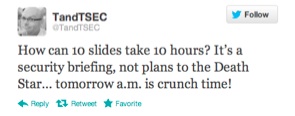
This was at short notice, and so I spent every spare moment I had throughout a long day last Thursday creating the presentation from scratch. After reviewing Master Services agreements, security schedules and other documents relating to the project I had to try and consolidate all of this into a meaningful presentation. I even Tweeted about my experience:

This is a battle hardened and very creatively talented team, working stupid hours and closing in on an important milestone of work. The last thing they wanted was to listen to the “corporate security guy” for twenty minutes, but for all the right reasons it was important that it was done today, and with the client present.

So I had: 1 – a disengaged audience, 2 – 24hrs notice, 3 – a client present, 4 – strong interest from HQ (“send us the presentation when you finish it so we can check it through” and finally, 5 – changes to be incorporated two hours beforehand (see 4).

Pop Quiz – do you use the corporate deck, smart and extensive bullet points, approved imagery and and a shirt and tie? Or do you focus on getting key message across, come what may?

And this is the crux of my point – the moment you try and deliver a corporate message in a corporate format your audience is going to switch off. One suggestion I received from a well meaning executive was to basically provide a list of the twenty requirements of the client in the presentation and then hand out copies to be signed by each team member. In this instance people would remember the first two, last two (at best!) and just blindly sign the rest. While this would technically meet the objectives (everyone must agree they understand the security requirements) they really wouldn’t absorb the message.

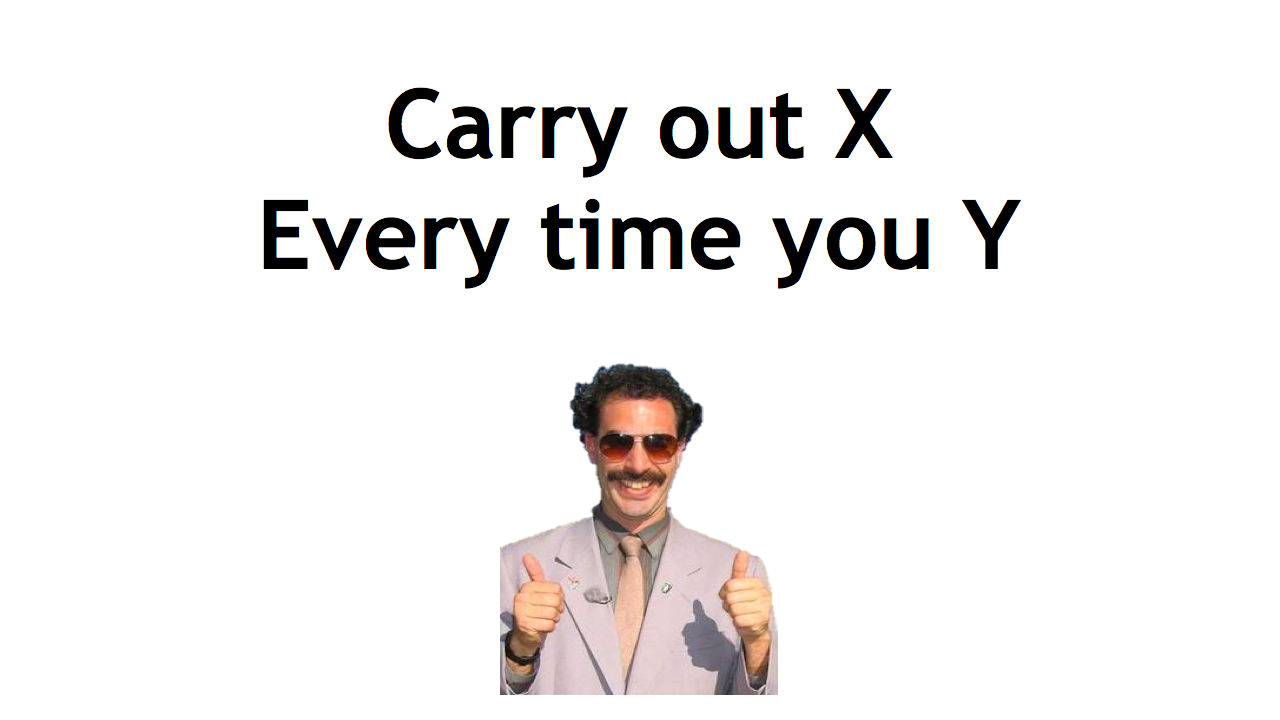
My approach? Simple, high impact and memorable. As the example below shows, not many words and a memorable picture (in the actual presentation Borat merged to Simon Cowell showing a thumbs down and back and forth). In this way, the image hits them first (thumbs up/thumbs down), the message (check X when doing Y), and that’s it! (The message has obviously been sanitised to protect the innocent).
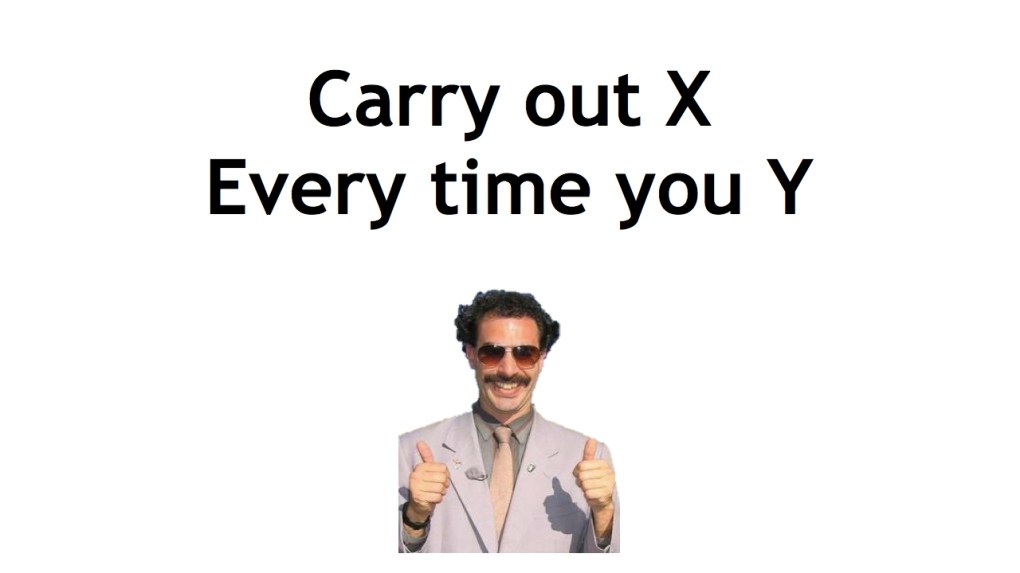
 Of course, there were many other slides along this nature – I also used references to The Oatmeal, Dilbert and Defcon 18 amongst others. And each slide put across a very specific point.

At first glance, the deck looks awful, plain and badly designed. However, the simplicity of it ensures the message very clearly comes across with the imagery ensuring that message remains memorable.

Three things came across very strongly at the end. Firstly, the questions and comments at the end were engaging, sensible and eminently relevant. This made me very confident that the message was put across and understood, and that this approach was the correct one in this circumstance.

Secondly, the client saw this engagement, and has since requested a copy of the presentation to demonstrate how the team had been successfully “trained” and and updated on security practices.

Finally, in front of this creative audience it became crushingly obvious that I really have to up my game when it comes to clip art…


The Simple Things Part Three – Screen Privacy Filters

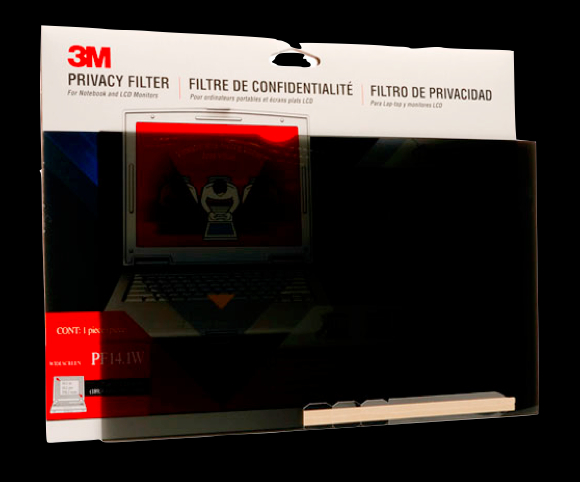
Continuing on the theme of Bring Your Own Security (BYOS), the use of a screen privacy filter makes a huge difference in someone’s ability to work in public spaces privately.

There are many different manufacturers of these filters although the best known (and possible inventor?) of them is 3M. Basically they use a “micro louvre” system to ensure that when placed onto the screen the image can only be viewed from directly in front. Someone sat next to you can not see the screen at all, just a black image. The louvres work in a similar way to venetian blinds but in a vertical arrangement; when they are open you can see through them but the moment you move to one side the blind slat itself blocks the way. The principle is the same in the filter – vertical slats that allow enough light out to see the image but block the view fro the side.

As a technology they are very simple, albeit expensive – you can expect to pay upwards of £50/$70USD for a 3M one. That seems rather expensive, so what are the real world benefits?

Most people nowadays will travel for over an hour to their place of work, and with the increasing number of people using a laptop as their primary computer, that travel time can be more effectively utilised by working. Being able to do so without fear of someone viewing the strategy or bid document you are working on gives great peace of mind. Without wishing to countenance the transport of sensitive/confidential documents in open, it does provide an extra level of protection in addition to encryption etc..

Social engineering is also significantly reduced. Someone wishing to engage in a conversation with you to get hold of information has ready access to your screen for topics, interests, even personal details (from your wallpaper?) and has a “hook” to start that conversation. By blocking that view, they have to work much harder for those personal details.

There are downsides to using a screen filter though;

Risk homeostasis, i.e. you begin to think nobody can see your screen, and so let your guard down elsewhere. Bearing in mind that you can only view the screen from directly in front of you, that means that the person peering from between the seats directly behind you can also see the screen.

You are also highlighting the fact that you have something worth looking at! I have experienced interested stares from people in a restaurant in Washington D.C., (where I thought security techniques such as a screen filter would be de rigour) as they saw the lovely golden sheen on my new 3M filter; it was gold as it allegedly helped increase the clarity and privacy at the same time. i certainly drew attention to myself!

Of course the Pros far outweigh the Cons, and so for me the inclusion of a screen filter into my BYOS arsenal is certainly one of the most important pieces of kit to have.

As an aside, filters are also available for phones and tablets. I have one on my iPhone and it is very effective when holding the phone in portrait. If I need to show someone something on my phone i simply rotate it to landscape, and people either side of me can see the screen fully.


The New Home of TandTSEC, the blog

Fairford Airshow 2011I am in the early days of setting up this site as the formal blogging site of TandTSEC. It has been almost a year since I set up the original site, and after an initial flurry of blogs they dried up quite quickly. I have come a long way in my professional development since then, significantly catalysed during the RSA Europe conference last year.

Moving to this site will allow me to overcome one problem in particular, namely that of being able to update my blog from anywhere and on any of my mobile devices. My hope is that I will be able to post an update when the mood hits me rather than when I get back to my desk at home. Given the amount I find myself traveling this was a problem!

I am also starting on the speaking circuit. I am in the middle of preparing my first presentation ready for delivery this coming Tuesday at the RANT forum in London. With that in mind I am challenging myself to come up with more frequent updates, opinions and thoughts to act as the “manure” for new presentations, articles, and hopefully a book!

Here is to a new chapter in my InfoSec career!